If your fountain pen feels scratchy, skips, or just isn’t writing the way you expected, you’re not alone. Many people run into these problems, whether using a brand-new pen or one that’s been in the drawer for a while. The good news is that most scratchy nibs and ink flow issues have simple, practical solutions you can try at home. This guide is here to walk you through them without any fuss.
Common Fountain Pen Problems: What Do They Feel Like?
Most fountain pen problems come down to a few classic symptoms:
- Scratchy writing: The pen catches, drags, or feels sharp on the page, rather than gliding smoothly.
- Skipping: The pen writes intermittently, leaving gaps in your lines or requiring you to scribble to get the ink flowing.
- Hard starts: The pen doesn’t write right away after being uncapped—you have to coax or prime it to get ink flowing.
- Inconsistent flow: Some strokes look saturated and dark, while others are faint or dry.
Before blaming the pen, it’s worth figuring out whether the problem is with the nib, the ink supply, or something else.
Quick Checklist: Before You Start Making Adjustments
Sometimes it’s easy to overlook the basics. Here’s what to check first:
- Is there enough ink? Low ink can easily cause skipping. If in doubt, refill or replace the cartridge.
- Are you using fountain pen ink? Never use India ink, drawing ink, or dip pen ink—these clog fountain pens.
- How’s your paper? Very rough or fuzzy paper can create more scratchiness, or absorb ink unevenly, leading to skipping. Try the pen on a smooth, fountain-pen-friendly sheet.
If those are all fine and you’re still having issues, it’s time for some troubleshooting.
Step 1: Clean the Pen Thoroughly
A surprising number of problems are caused by dried ink or debris inside the nib and feed. Cleaning should always be your starting point before any nib adjustments.
How to Clean a Fountain Pen:
- If your pen uses a converter or cartridge, remove it. Rinse the nib and feed section under cool or lukewarm water until the water runs clear. (Never use hot water—it can damage some parts.)
- For stubborn clogs, fill and flush the converter with water several times. A pen flush or a few drops of dish soap in water can also help.
- Allow all parts to dry fully before reassembling and refilling with ink.
Tip: Cleaning often fixes hard starts and skipping, especially for pens left unused or those with old ink.
Step 2: Check Your Writing Technique and Paper
Fountain pens are meant to write under their own weight, without extra pressure. If you’re pressing down hard—common for new users accustomed to ballpoints—the nib can feel rough or resistant.
- Write with light, gentle pressure.
- Keep the nib’s slit (the line down the middle) facing straight downward, so both tines touch the paper evenly.
- Try different angles and see if one feels noticeably smoother than others.
- If the pen feels fine on some paper but not others, consider switching to smoother, less absorbent paper.
Step 3: Fixing a Scratchy Nib
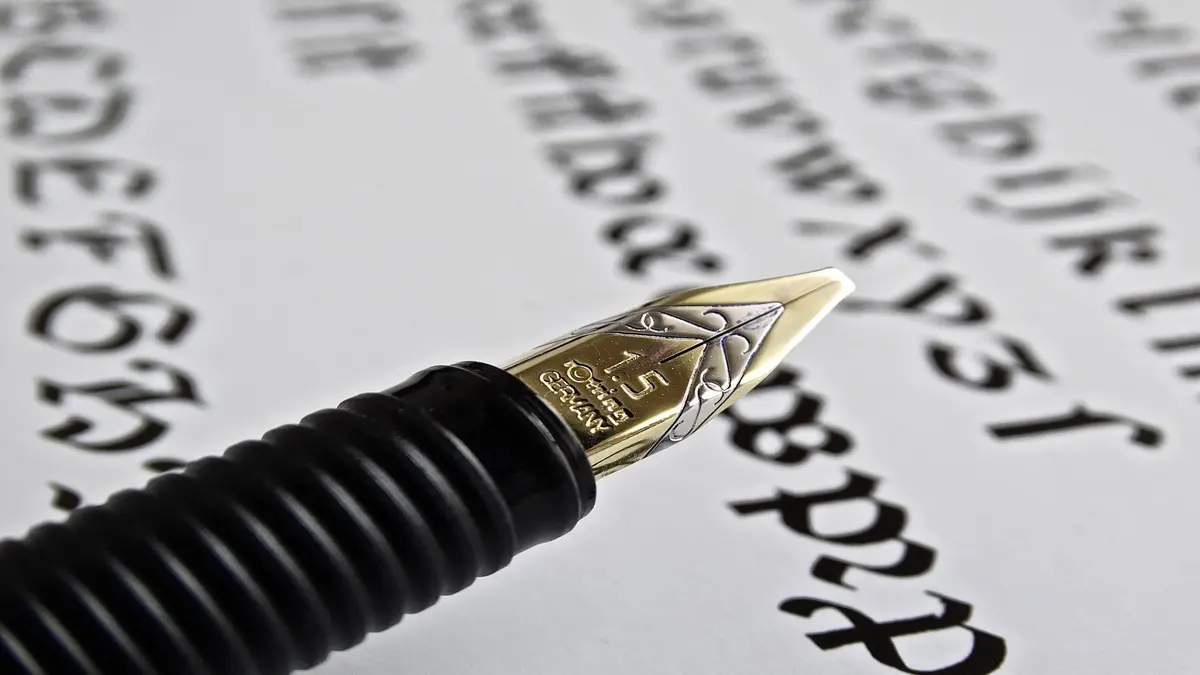
A scratchy nib usually means either a misalignment (the two metal tines at the tip aren’t level) or rough spots on the tipping material.
How to Check for Misaligned Tines
- Look at the nib head-on under a good light, or use your phone’s camera and zoom in. Both tines should appear level and symmetrical.
- Try drawing lines in different directions. If some directions feel much rougher, chances are the tines are uneven.
How to Gently Align the Tines
Caution: Only try this if you’re comfortable and the pen isn’t expensive or under warranty—small mistakes can make things worse.
- Using your fingernail or a thin piece of paper, very gently nudge the higher tine downward, or the lower tine upward. Make tiny adjustments, testing with a few strokes each time.
- If you’re unsure or the tines appear bent or damaged, get help from a pen repair expert or “nibmeister.”
Smoothing Minor Roughness on the Nib
If the tines are aligned but the pen still feels scratchy, minor roughness is often the cause.
- Use a piece of plain brown paper bag (not glossy) or an extra fine micro-mesh pad.
- Write a few figure-eights or loops very lightly, checking every few marks.
- Stop as soon as the pen feels smoother—overdoing it can damage the nib’s shape.
Do not use regular sandpaper, or attempt grinding major defects at home. If the pen was expensive or valuable, have a professional inspect it.
Step 4: Tackling Ink Flow Issues (Skipping, Hard Starts, and Dryness)
If your pen writes scratchy and the line looks pale or fades out—even after cleaning—you may have an ink flow problem.
Common Causes of Poor Ink Flow
- Dried ink or debris in the feed: Clean the pen as described above.
- Nib not seated tightly against the feed: Inspect from the side. There should be little to no gap between the underside of the nib and the feed.
- Tines too close or too far apart: If the tines pinch together, ink can’t flow. If they’re too far apart, the line can look too wet or inconsistent.
- Baby’s bottom: A rounded nib tip with too much tipping can actually lift off the paper, causing skipping at the start of strokes.
Solutions
Tiny adjustment for tines too close:
- Slide a thin brass shim or even a piece of regular paper between the tines a few times (gentle, don’t force it).
If the tines are too far apart:
- Very gently press the tines together on plain paper (just enough pressure for the tips to touch).
If you suspect “baby’s bottom”:
- Smoothing the tip can help, but if you aren’t experienced, it’s best left to a professional.
Double-Check Your Ink
- Some inks are drier while others flow more freely. If your pen feels dry, try a “wetter” ink brand or formula.
- Avoid mixing inks or using non-fountain-pen inks.
Step 5: Priming and Storage Tips
- Prime the feed: After cleaning or refilling, “prime” the pen by turning the converter piston gently (if you have one) or by dipping the nib in ink and scribbling briefly.
- Store the pen capped: Leaving your fountain pen uncapped or exposed to air can dry up the feed. Always cap it when not in use.
- Store horizontally or nib-down: Especially for pens with less reliable feeds. Don’t store upright (nib-up) for long periods as the ink can drain away from the nib.
When to Seek Professional Help
Most basic scratchiness and skipping can be fixed at home, but sometimes you really do need an expert. Consider professional repair when:
- Nib is visibly bent, cracked, or missing tipping material.
- Major adjustment or grinding is needed.
- The pen is valuable, vintage, or under warranty (DIY fixes may void warranty).
Search for a reputable nib repair service or a pen shop with repair experience—don’t risk damaging a pen that matters to you.
Summary Table: Quick Fixes for Fountain Pen Problems
| Problem | Likely Cause | What to Try |
|---|---|---|
| Scratchy nib | Misaligned tines, rough surface | Clean, align, smooth |
| Skipping/Hard starts | Clogged feed, low ink, tines tight | Clean, check ink, adjust tines |
| Inconsistent flow | Poor ink, debris, nib/feed gap | Clean, reseat nib and feed, try new ink |
| Dry writing | Dry ink brand, tines too close | Try wetter ink, adjust tines |
Final Pointers
Most fountain pen issues are not serious and have straightforward fixes. Start with cleaning and careful inspection. If you’re unsure or the pen is valuable, seek expert help.
Taking care of your pen—cleaning it regularly, storing it properly, using good ink and paper—makes everyday writing smoother and more enjoyable.